Your company, one subscription.

Whether it’s CRM, projects, HR, budgets or something else entirely:
Cordango has what you need.
If it doesn’t, add it with AI in a few minutes.

Built and hosted in Germany

FIG.01

One platform.
Many possibilities.

Many of the apps your company needs are already part of Cordango, from project management to HR.

Each one is ready to use and can be adapted to the way you work. They are all connected, and we keep adding to the collection.

See all apps →
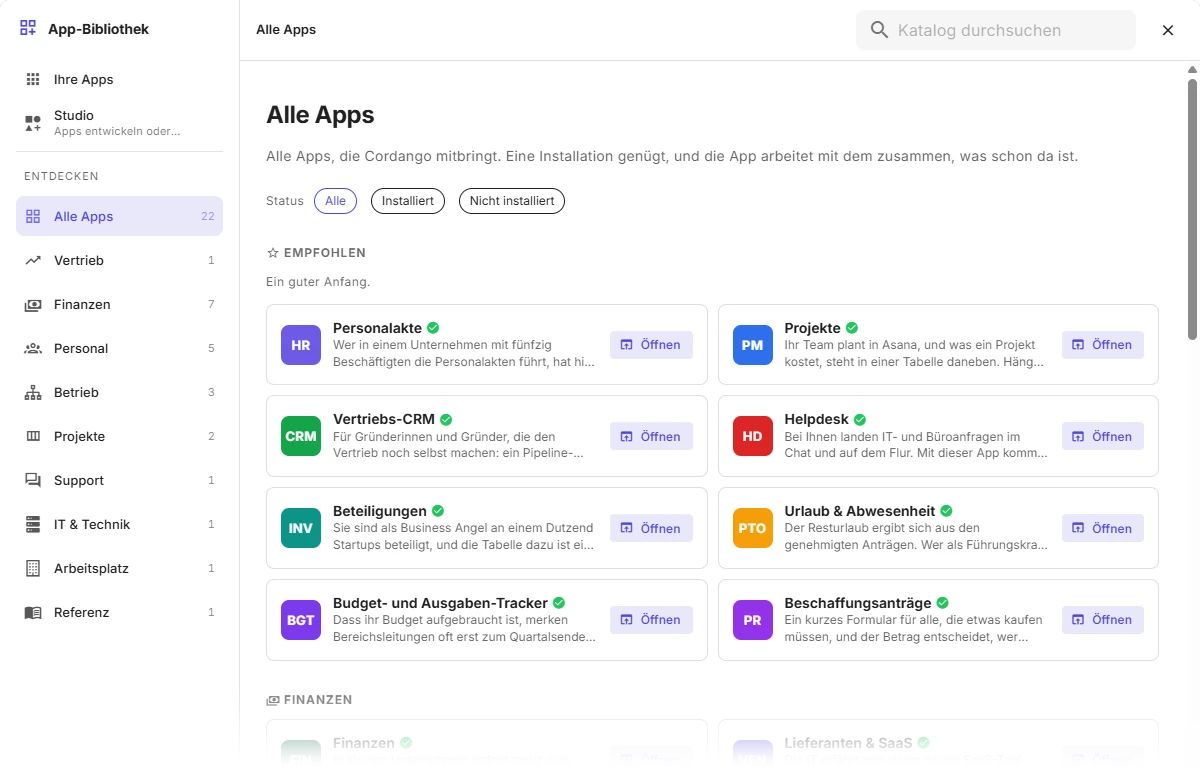
The App Library in Cordango: 22 apps in categories such as sales, finance, HR, operations, projects and support, with recommended ones like personnel files, projects, sales CRM and helpdesk at the top.

Examples from the App Library

Here are four of them.
You can use each one right away or adapt it to the way you work.

FIG.02

Your employees,
shared by every app.

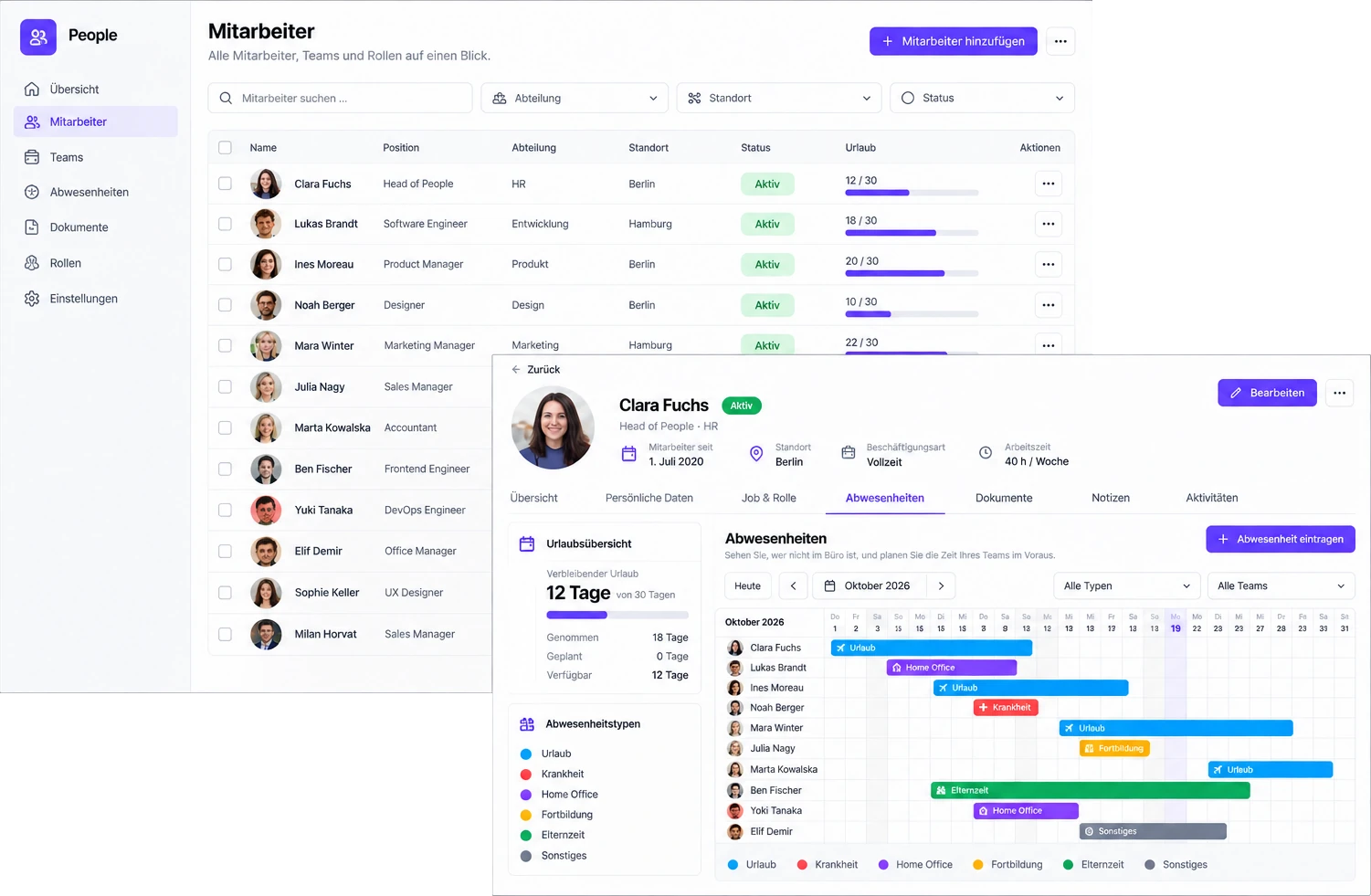
In Cordango you manage your employees in one place, and every app works with the same people.

  • Profiles and roles

    Teams, roles, locations and contact details are kept once.

  • Absences

    The PTO & Leave app plans leave and sick days for exactly these people.

  • In every app

    Projects, tasks and finance all work with the same employees. Nothing is kept twice.

Employees in Cordango: the list with position, department, location, status and leave taken, and in front the profile of Clara Fuchs with her leave overview and the team's absence calendar for October.
FIG.03

Two apps for
projects and
time tracking.

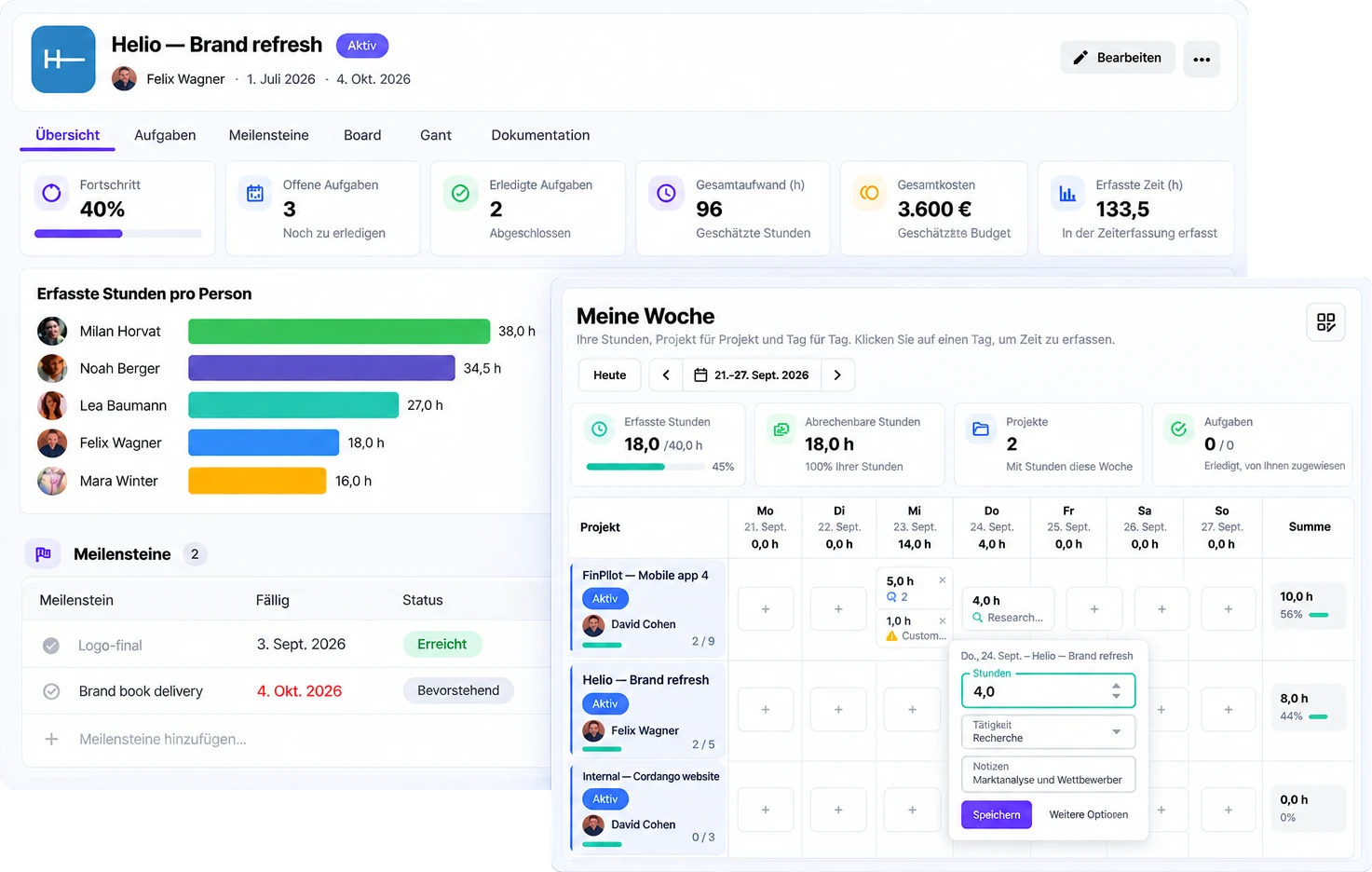
Projects and Timesheets are two separate apps that are installed together. Timesheets books hours straight onto the projects.

  • Run projects

    In the Projects app: tasks, milestones, progress, effort and cost in one place.

  • Track time

    In the Timesheets app: the week on one grid, each entry booked to its project. Employees only need Timesheets, not access to the projects.

  • Analyse hours

    The team lead sees where the time goes, by project and by person, billable hours included.

A project in the Projects and Timesheets apps: progress, open and done tasks, effort, cost and time logged, hours per person and milestones, and in front your own week with hours per project and day.
FIG.04

The app for
warehouse management.

With this app you can:

  • Watch stock levels

    See low and out-of-stock items before they run out.

  • Check deliveries

    Scan every incoming delivery against its purchase order.

  • Pick orders

    Put customer orders together bin by bin and keep track of shipping.

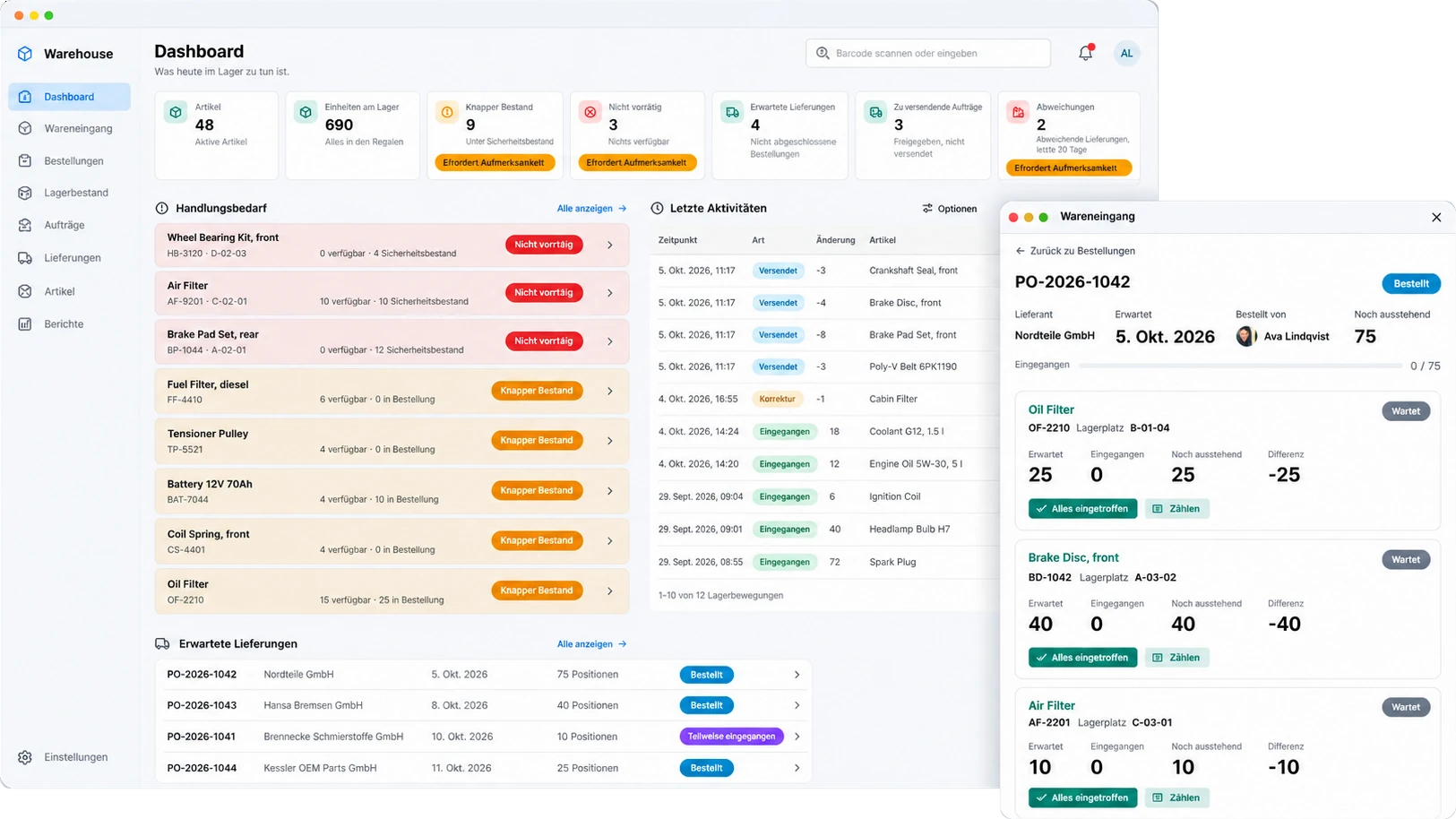
The Warehouse app: the dashboard with items, low and out-of-stock levels, expected deliveries and recent stock movements, and in front the goods receipt for an order with expected and received quantities per item.
FIG.05

Everything important
at a glance.

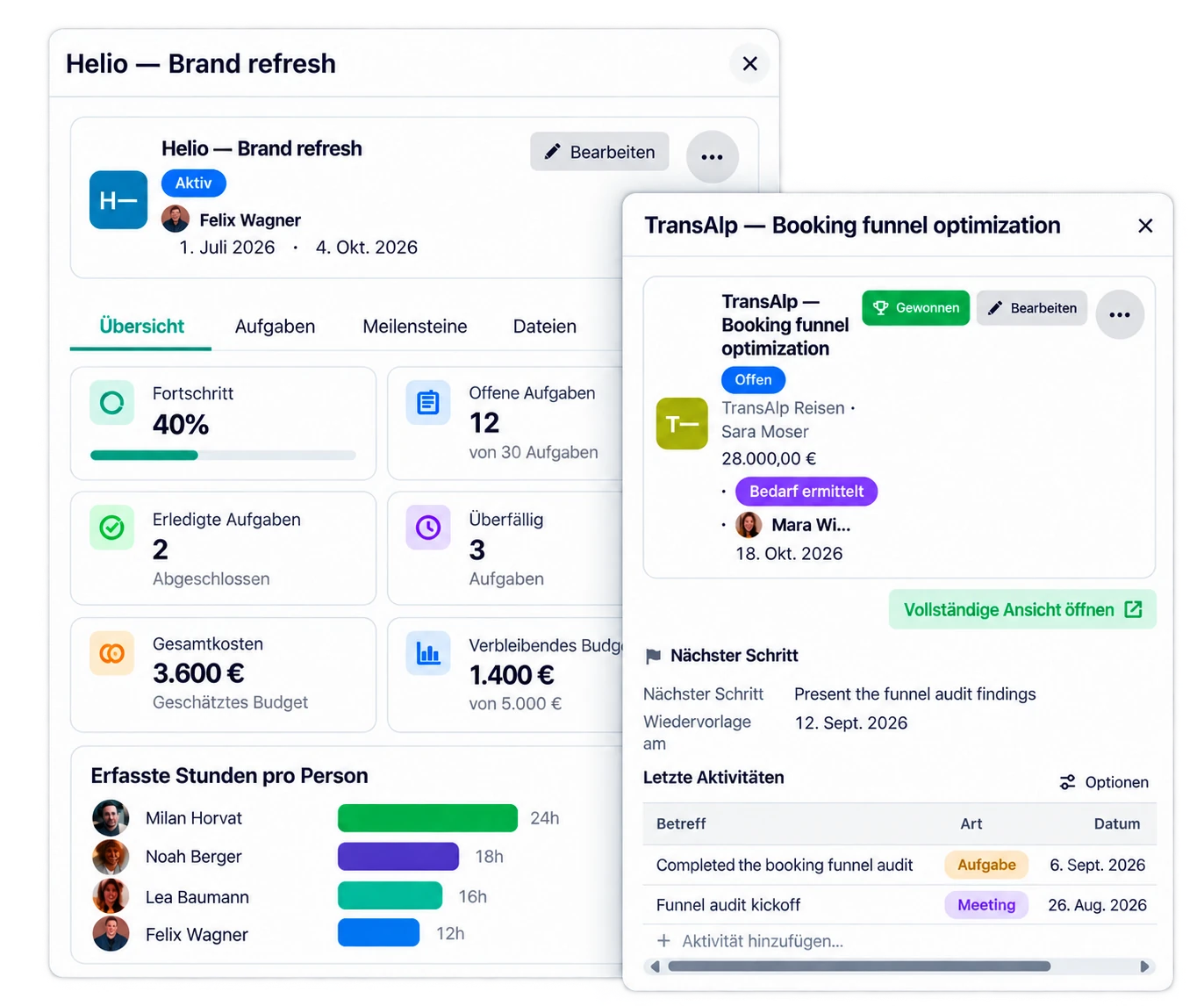
Whether it’s status, tasks, budget or next steps, Cordango shows you the information that matters right in context, even when the data comes from different apps. Apps you build yourself get this automatically.

The quick view in Cordango: a project with progress, open tasks, budget and hours logged per person, and beside it a deal with company, contact, next step and recent activities.
FIG.06

Anything missing?
Just build it yourself.

At its core, Cordango is a no-code platform for custom business apps. Create data models, views, workflows and screens with AI or by hand, no technical knowledge needed.

  • Build with AI

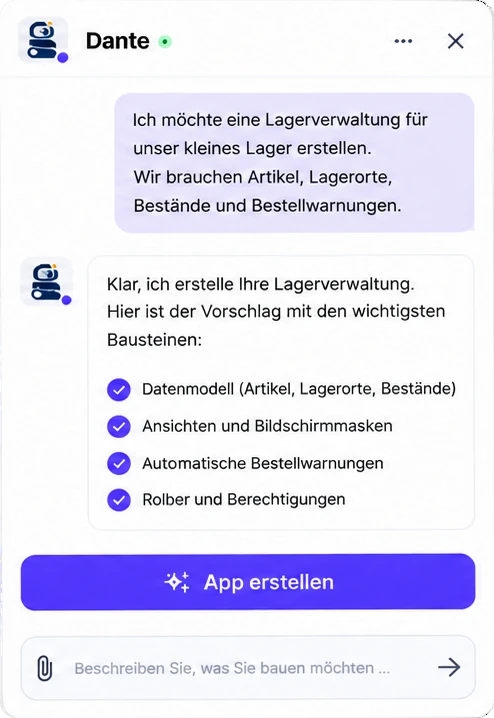
    Describe what you need. Dante builds the app for you, step by step.

  • Adjust visually

    Configure objects, fields, views and workflows without writing code.

  • Real results

    From simple tools to complex applications that fit your processes exactly.

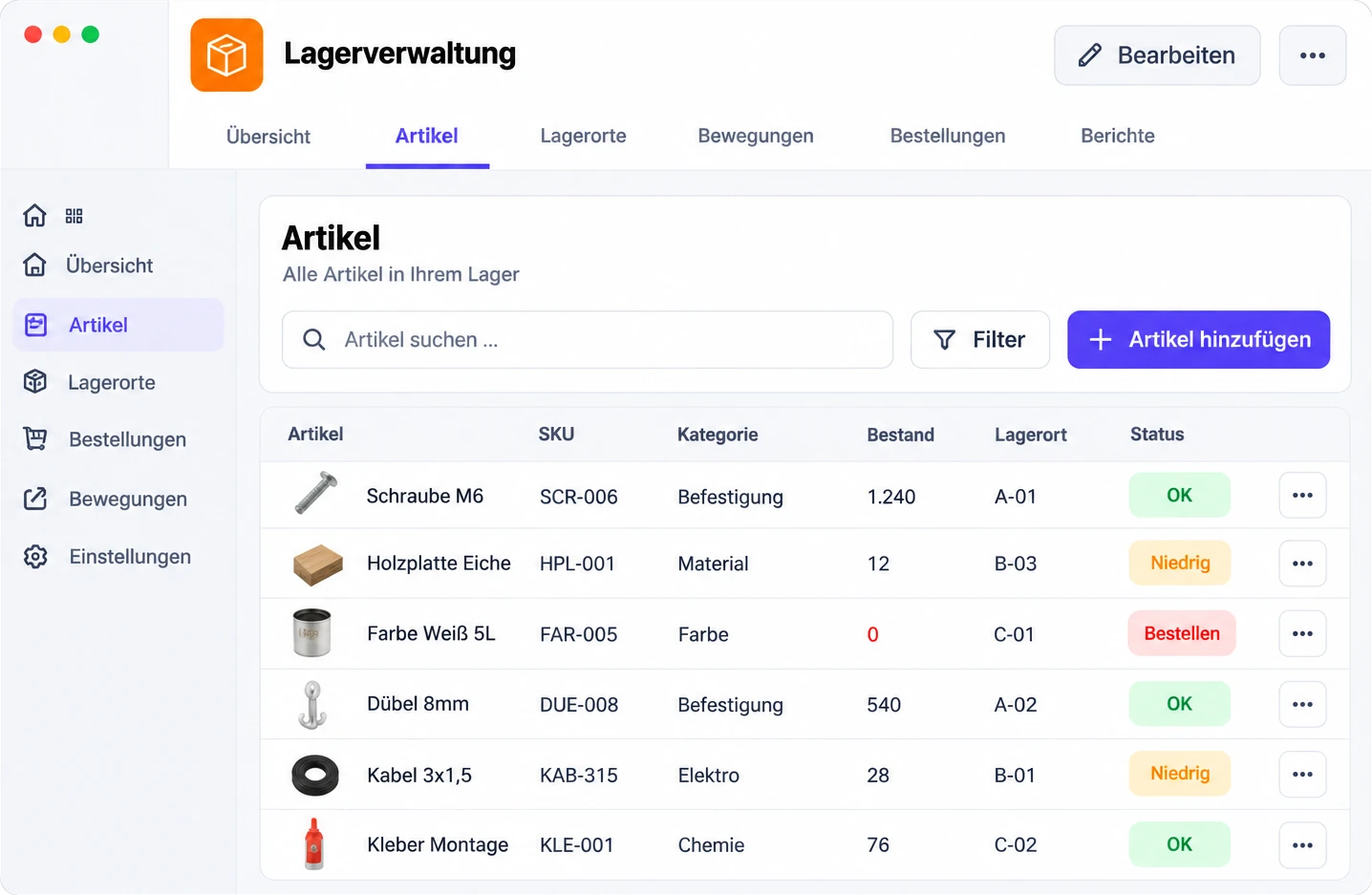
The finished warehouse app: items with SKU, category, stock, location and a status such as OK, low or reorder. Dante in conversation: someone describes a warehouse app with items, locations, stock levels and reorder alerts, Dante proposes the building blocks, and below it sits the button that creates the app.
FIG.07

This is Dante, our little AI helper.

Dante understands your company and helps you get work done. You can open it on any page in Cordango, and it only sees what you are allowed to see.

  • Add data

    Say what you want to record. Dante prepares the entry, you check it and add it.

  • Build apps

    Describe what’s missing. Dante asks for the details and builds the app in Cordango.

  • Find information

    Ask about data and content across all your apps. Dante answers with the records you’re allowed to open.

  • Keep track

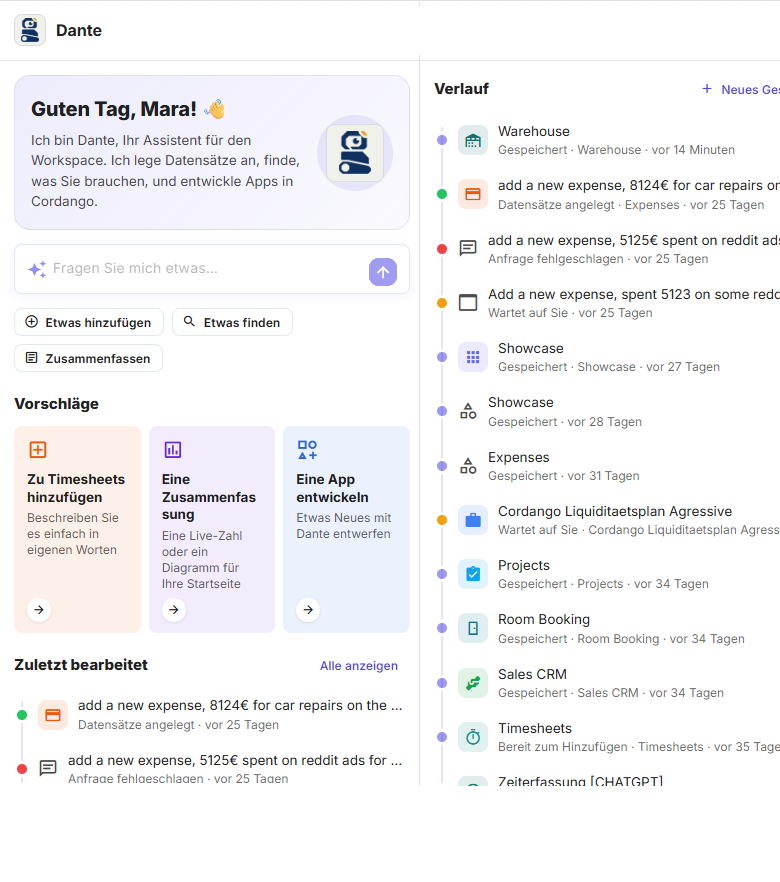
    Every conversation stays in the history with its status: created, saved or waiting for you.

  • Open to your AI

    Instead of our AI you can use Claude, OpenAI or your own model behind an OpenAI-compatible API. Every app is also reachable over REST and MCP automatically.

Dante in Cordango: on the left the start screen with suggestions and recent conversations, on the right the history with each conversation's status.

Your apps and your data belong to your company.

What does your company need?

Start with an existing app or build something new.